
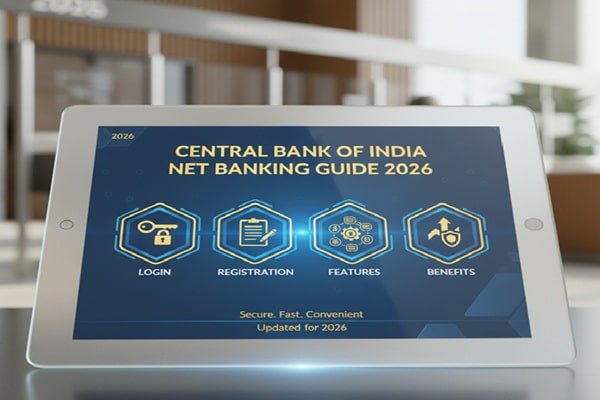
Money often moves quietly in the background of daily life. You check a balance, send a payment, or download a statement without thinking twice. But when the system works smoothly, it saves time, reduces stress, and gives you control. That is exactly what Central Bank of India net banking is designed to do.
This guide walks you through everything that matters about CBI net banking. Not just how to log in, but how it works, why people use it, and how to get the most out of it without confusion.
Central Bank of India has been around for over a century. It has seen banking move from handwritten ledgers to mobile screens. Its internet banking platform reflects that journey. It blends traditional banking trust with modern digital access.
What is Central Bank of India Net Banking
Central Bank of India net banking is an online service that allows customers to manage their accounts without visiting a branch. You can log in from your phone or computer and handle most banking tasks in minutes.
The system is built for both personal and business users. It supports savings accounts, current accounts, and loan management. Once activated, you get full access to your account details anytime.
Unlike older banking methods, there is no waiting in line or dealing with limited branch hours. The service runs all day, giving you control whenever you need it.
Why Customers Prefer CBI Net Banking
The biggest advantage is convenience. You can transfer money, check balances, and pay bills from home. For many users, this replaces multiple trips to the bank every month.
Another reason is speed. Transactions through NEFT, RTGS, and IMPS happen quickly. You do not need to fill forms or wait for manual processing.
Security also plays a key role. The bank uses password protection, OTP verification, and secure login systems. These layers help keep your account safe while you use online services.
For business users, the platform helps manage multiple payments and accounts efficiently. It reduces paperwork and simplifies tracking expenses.
How to Register for Central Bank of India Net Banking
Getting started is simple if your mobile number is linked to your account.
You can register online through the official banking portal. The system will ask for your account details, debit card information, and registered mobile number. After verification, you create a user ID and password.
If you prefer offline registration, you can visit your branch and request net banking activation. The bank will provide login credentials after verification.
Once registered, you can log in immediately and start using the service.
Central Bank of India Net Banking Login Process
Logging in is straightforward, but it is important to follow the steps carefully.
Visit the official net banking website. Enter your user ID and password. You may also need to enter a captcha or OTP for verification.
After successful login, you will land on the dashboard. This is where you can view your account summary, recent transactions, and available services.
If you forget your password, the system allows you to reset it using your registered mobile number and account details.
Always log out after using your account, especially on shared devices.
Key Features of CBI Net Banking
The platform offers a wide range of features that cover almost every banking need.
Account management is the most basic function. You can check balances, view transaction history, and download statements. This helps track your spending and manage your finances better.
Fund transfer is another major feature. You can send money using NEFT, RTGS, or IMPS. Each method serves different needs based on speed and transaction amount.
Bill payments are easy to handle. You can pay electricity bills, water bills, mobile recharges, and more. This saves time and keeps all payments in one place.
You can also manage fixed deposits and recurring deposits. Opening or closing deposits does not require a branch visit anymore.
For loan customers, the platform shows loan details, repayment schedules, and outstanding amounts.
Business users get additional tools for bulk payments and account monitoring.
Understanding Fund Transfer Methods in CBI Net Banking
Central Bank of India net banking supports multiple transfer methods.
NEFT is suitable for regular transactions. It works in batches and is ideal for non-urgent transfers.
RTGS is used for large transactions. It processes payments in real time and is often used for high-value transfers.
IMPS is the fastest option. It allows instant transfers even on holidays. This makes it useful for urgent payments.
Choosing the right method depends on your needs. For small, quick transfers, IMPS works best. For planned payments, NEFT is sufficient.
Security Features of Central Bank of India Net Banking
Online banking always raises questions about safety. The bank has built several layers to protect users.
Login credentials are encrypted. This means your password is not stored in plain text.
OTP verification adds another layer. Every important transaction requires a one-time password sent to your mobile.
The system also tracks unusual activity. If something looks suspicious, access may be restricted to prevent fraud.
You should also follow basic safety steps. Never share your password or OTP with anyone. Avoid using public computers for banking.
Regularly updating your password helps keep your account secure.
Common Problems and Simple Solutions
Users sometimes face login issues or transaction errors. Most of these problems have simple solutions.
If you cannot log in, check your user ID and password. Make sure there are no typing mistakes.
If your account is locked, you can reset it using the password recovery option or contact customer support.
Transaction failures usually happen due to network issues or incorrect details. Always double-check account numbers before sending money.
If a transaction fails but money is deducted, it is usually reversed within a few hours or days.
For unresolved issues, contacting the bank’s support team is the best option.
Net Banking vs Mobile Banking
Many users wonder whether to use mobile banking or net banking.
Net banking works well on desktops and laptops. It offers a detailed view of your account and more features.
Mobile banking is more compact. It is designed for quick access and on-the-go transactions.
Both systems are connected. You can use either based on your preference.
Some users prefer net banking for detailed tasks like downloading statements. Others prefer mobile apps for quick transfers.
Also Read : YES Bank Net Banking Guide 2026 Login Registration Features and Security Tips
Tips to Use Central Bank of India Net Banking Better
Using net banking becomes easier once you understand a few practical tips.
Set up beneficiaries in advance. This saves time when making transfers.
Check transaction limits before sending large amounts. Each method has its own limits.
Download statements regularly to track your finances.
Enable alerts for transactions. This helps you stay informed about account activity.
Keep your contact details updated with the bank. This ensures you receive OTPs and notifications without delay.
Future of Central Bank of India Digital Banking
Banking is changing fast, and Central Bank of India is adapting to these changes.
The focus is shifting toward faster transactions, better security, and improved user experience.
Digital services are expanding. More features are being added to make banking simpler.
Customers now expect instant access and smooth performance. The bank continues to improve its platform to meet these expectations.
Over time, net banking will become even more integrated with daily financial activities.
Final Thoughts
Central Bank of India net banking is not just a convenience. It is a practical tool that simplifies everyday banking.
Once you start using it, routine tasks become quicker and easier. You gain control over your finances without depending on branch visits.
The system is built to be secure, accessible, and efficient. With a little practice, it becomes a natural part of managing money.
Whether you are paying bills, transferring funds, or checking your balance, the platform gives you the flexibility to do it on your terms.